Hands
It works on your computer
Installed on your Mac, with its own browser signed into the accounts you use. It fills forms and works portals that were never built for machines. Where a site asks for a human, it stops and calls you in.
An AI assistant for research, correspondence and follow-up.
An AI assistant for the person who signs.
Research, correspondence, documents and follow-up in one workflow. Regaldi configures it with you and supports the first runs. You review what goes out and decide which permissions to grant.
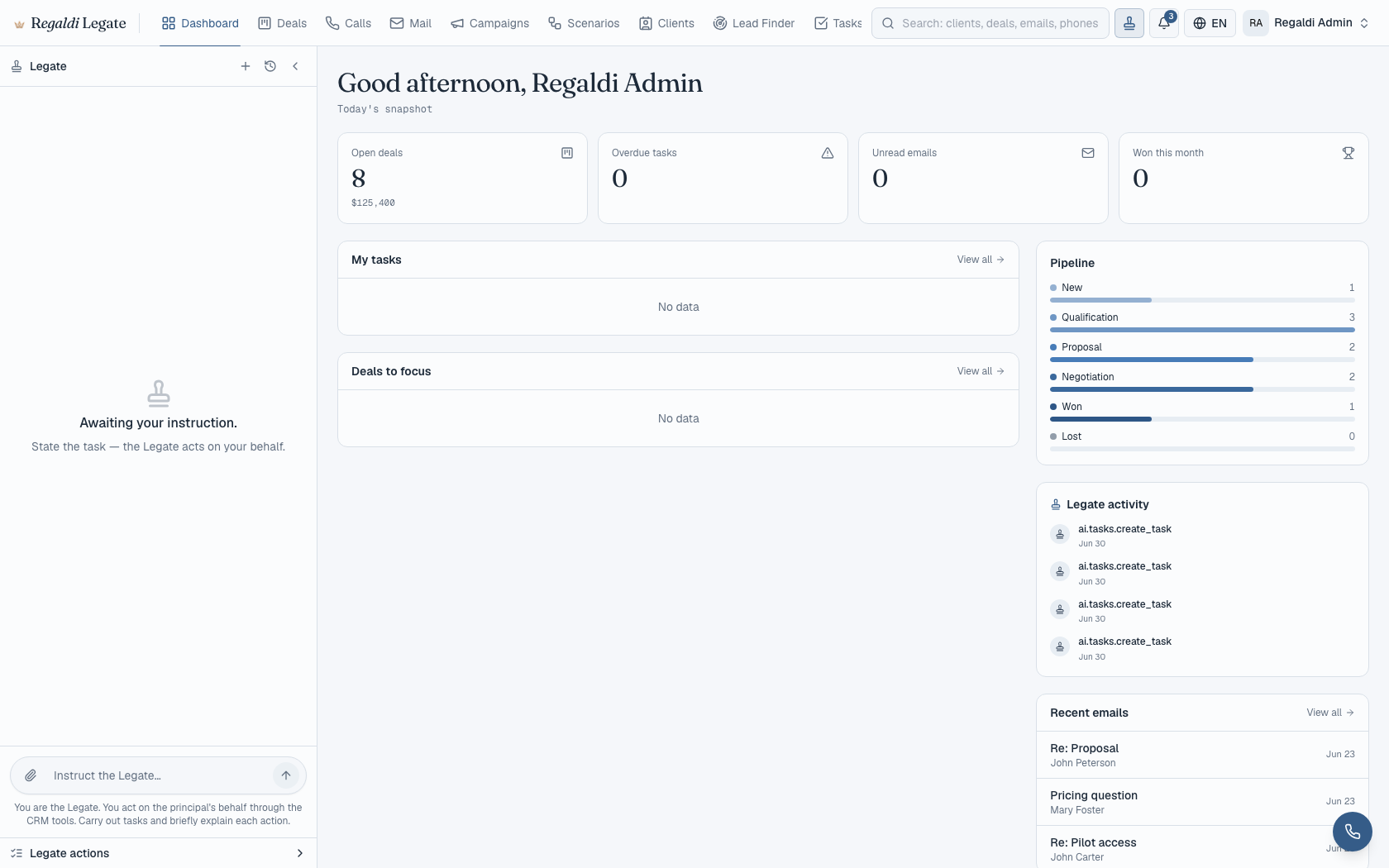
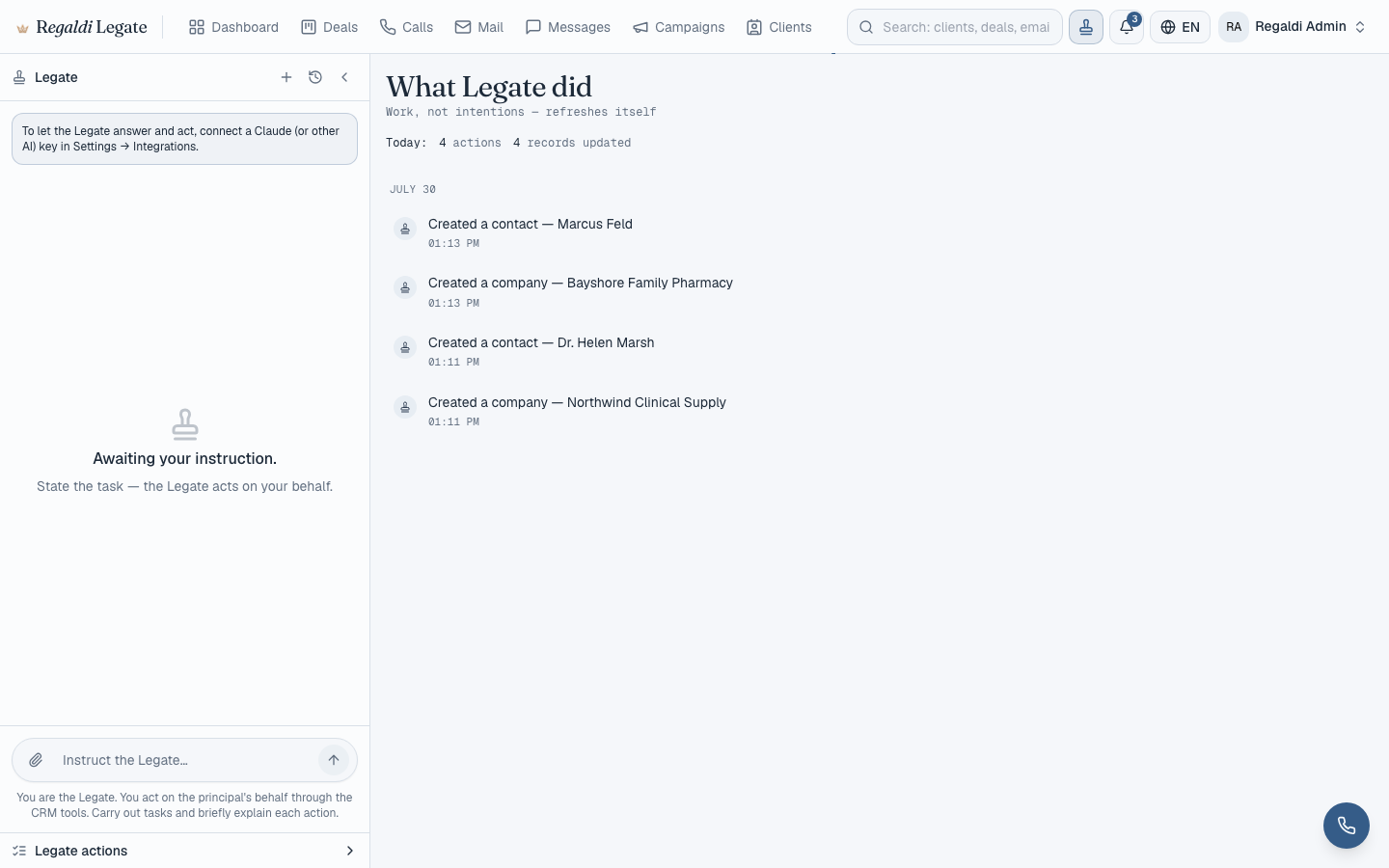
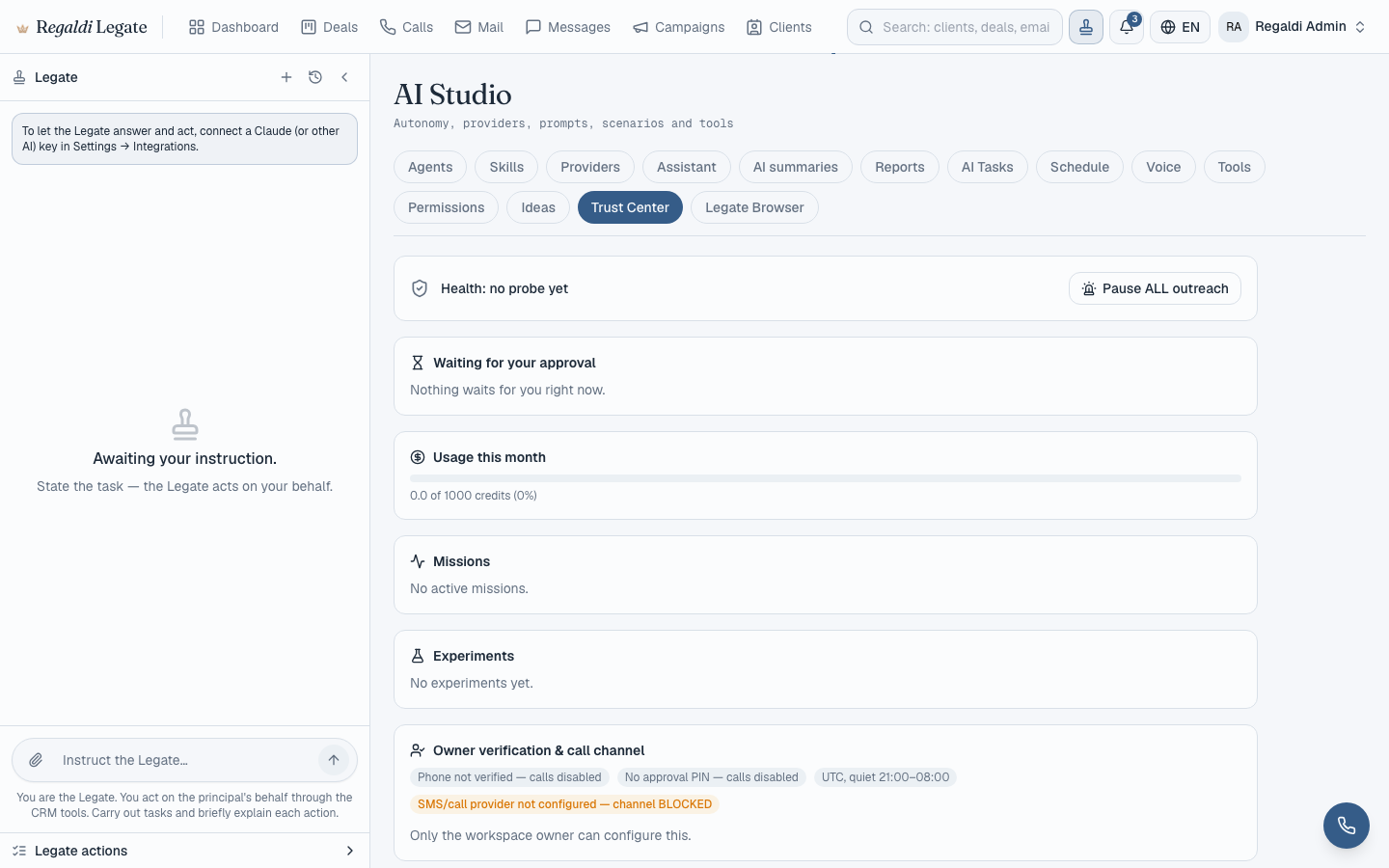
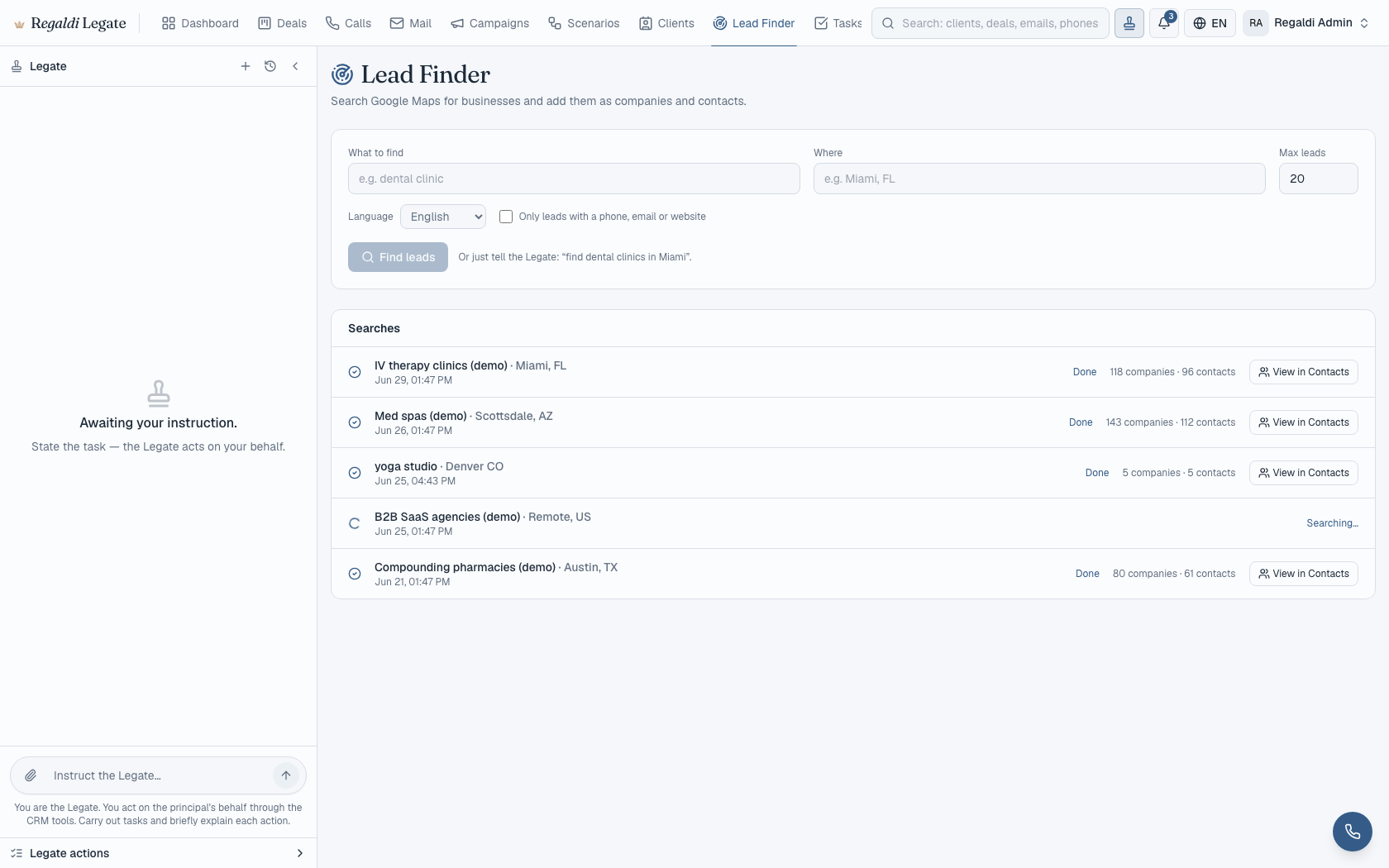
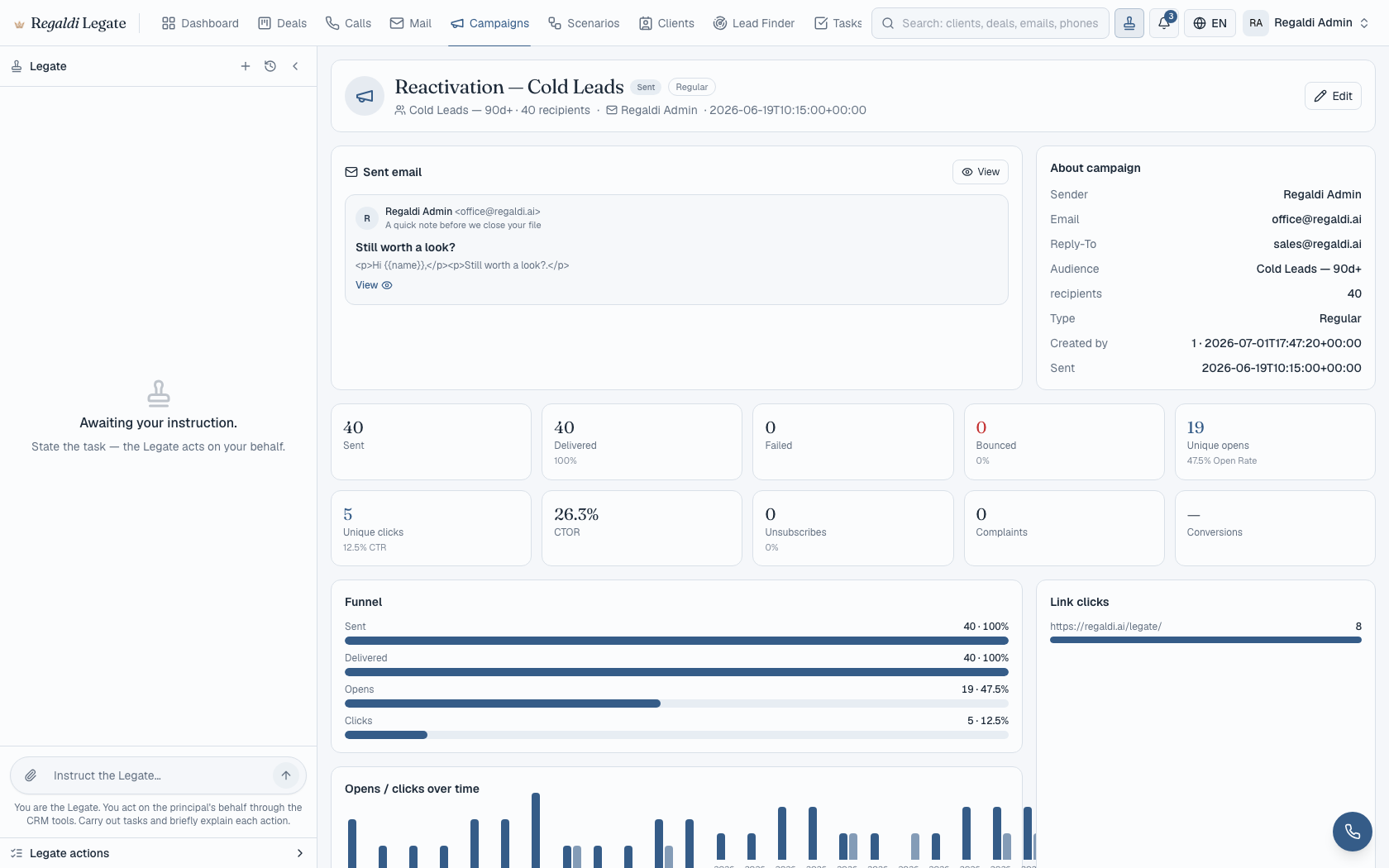
Screens show version 1.0 with representative data. Connected functions depend on the workflow and integrations configured for you.
“Follow up with the business accounts that have gone quiet.”
Sample rows for illustration only. In your workflow, each row is one of your own records, checked against the history and restrictions you connected.
Hello,
We have not heard from you since your last order, and I wanted to check that everything is still working as you need. If something changed on your side, or if a different arrangement would suit you better, I would like to know.
Would a short call next week be useful? If not, a reply here is enough. If you would rather not hear from us again, reply “stop” and we will not write.
With regards,
[Your name]
Sample statuses for illustration. Only approved messages leave; follow-ups return to you unless you granted a standing permission.
Sample log for illustration. Entries record application actions and their status; Regaldi reads the first runs with you.
The application and dashboard are configured during onboarding. Ten companies, weekly reviews of the selected workflow.
Setup, the standard monthly workflow and a pilot month are priced on the pricing page, with what each includes. External costs are separate. See pricing →
Regaldi configures the workflow, helps migrate the agreed records and supports the first month. You keep decisions and approvals.
You agree to be measured. Everything Legate does for you is written down and read with you weekly.
Installed on your Mac, with its own browser signed into the accounts you use. It fills forms and works portals that were never built for machines. Where a site asks for a human, it stops and calls you in.
Your mailbox, your pipeline, the company it is about to approach, and the public record. History provides the context for the draft you review.
Configured voice workflows can answer calls, prepare summaries and route a caller to your team. The caller is told they are speaking with an AI system. Recording and transcription are a separate setup, enabled only after you and your counsel have reviewed the notice and all-party consent Florida requires.
Outbound calls use an AI-generated voice that identifies itself as such, working from a brief built out of your own data. Before calls are enabled, you and your counsel review the consent of the people called, do-not-call restrictions, calling hours and recording requirements. The software does not decide whether a campaign is lawful; you and your counsel do.
The ears and the voice are the two senses a screenshot cannot show. Talk to Ita for five minutes and judge them yourself.
Florida land research with Quarry is done in Regaldi Studio, the desktop workspace where you direct the work yourself. The Legate in Chrome browser extension has its own privacy notice.
Accounts, recipients, channels and the work Legate may do are set down in writing with you before the workflow goes live. Legate holds no power of attorney and signs nothing on your behalf.
The initial workflow routes outgoing work to you. A later standing permission needs a defined scope, budget and duration, and can be narrowed at any time.
The Trust Center pauses outreach and shows pending work. The activity feed records application actions and their status. Controls reduce risk; they do not make software infallible, and delivered messages cannot be recalled.
Everything comes to you first, with the draft, the cost and the reasoning. You approve the exact text you read.
It may act inside the permissions you already gave, and only those. Not new powers; the granted ones, now used without waking you for each instance.
Pause outreach, narrow permissions or end the engagement. Completed actions are reviewed separately.
An idea is not permission. Understand the task, check its scope, prepare the work and record the action. This is the design behind the workflow you review.
Not its own. Yours: written down, versioned, revocable at any hour. Everything below descends from this one record.
The moment something becomes worth doing: a sentence you spoke, or a measurement and an intention in disagreement.
The flash opens into structure: what the gap is, what would close it, what that costs, and which part is still an assumption.
The widest reading. Everything that could be done here for you, before anything trims it.
The charter, the never-approach list, the daily limits. Not a filter at the end: a floor the thought has to pass through.
The two weighed against each other. What survives is not the most that could be done. It is the right amount for you.
What it keeps doing when the first attempt meets silence, and for how long before that becomes pestering.
The form bends toward the person receiving it: their standing, their history with you, their language.
The form it takes on the way out: a letter, a call, a document, a task for someone on your team.
It leaves the building with the whole descent recorded behind it, so the deed can be walked back up to the will that produced it.
Everything important routes through you, and the day ends before the list does.
A client, a patient, a donor, a regulator. A careless letter costs more than a lost lead.
Five to fifty people, and no operations hire in the budget.
A board, an audit, opposing counsel. The answer has to be a record, not a memory.
Available parcel records and source references, with correspondence prepared for professional review.
What the debtor holds, the entities behind them, and demand letters drafted for the attorney to review and sign before any one of them is sent.
The document checklist chased across forty clients who went quiet.
Contacts and document checklists organised, reminders prepared for your review between hearings.
Intake information the firm has already received, assembled for a lawyer to review, with open questions recorded. Any reply to the person comes from the firm.
Legate does not contact prospective clients, place solicitation calls or run advertising for a law firm. For firms it works on back-office matters under a lawyer’s supervision, and it presents itself as an AI system, never as a lawyer or a member of the firm.
Back-office work under a lawyer’s supervision, set beside Florida Bar Ethics Opinion 24-1. Read the page for law firms →
Owners of parcels like this one, found, researched, and approached in your name within the permissions you set in writing.
The research desk before the exam: the record assembled and cited, the licensed judgment still yours. Read the page for title agencies →
Arrears chased politely and on schedule, vendors coordinated, owners reported to monthly. Read the page for property managers →
The auction calendar held, the dossier ordered before the bid, the follow-up after the sale.
The doctors who stopped ordering, found and asked why. The new practices in the county, researched and approached.
Business correspondence and administrative follow-up. Patient-data workflows require a separate privacy and security review.
The waitlist worked, the follow-ups kept, the referral relationships maintained in your voice.
Reminders that go out on time and lapsed clients who hear from you first.
The missing documents chased client by client before the deadline. Read the page for CPA firms →
Renewals worked ahead of the date, quotes followed up, the book touched more often than one person can. Read the page for insurance agencies →
Past clients remembered, proposals followed up, the pipeline that does not rot between projects.
Both sides of the market researched and written to differently, and nobody promising left unanswered.
The donors from three years back, found, remembered, and invited, with the history attached.
The community roll kept, the pledges followed up gently, the events filled.
If your trade is not on the list but the four conditions read like your week, write anyway.
24 profession pages show where Legate fits in the work, which processes it carries and which stay with your team. Product access and supported workflows are confirmed before setup.
An AI assistant, set up and supported by Regaldi, that carries agreed work through research, drafting, review and follow-up. It is software, not a member of your staff.
A chat tool answers a question and stops. Legate finishes the work: finds the company, reads it, writes the letter, prepares the document, calls the number, books the meeting, gives the task to a person on your team, and comes back when that person has not answered. The connected functions depend on the workflow and integrations configured for you.
It writes the document, turns it into a PDF, files it against the client or the matter, and attaches it to the letter. The sending is the part that stops and waits for you.
It creates the task, assigns it to a named person, keeps its checklist, and remembers that it is waiting on them. It cannot compel anyone; it asks, reminds, and reports back to you.
No. It can carry your intent through the week: hold the goals, plan against them, direct the work, keep track of what was promised to whom, watch approved spending, and tell you where the business drifts from what you said you wanted. It does not hire, sign contracts or move company money.
Written scope, application approval checks and pause controls support your oversight. Regaldi checks the selected workflow with you during setup. Review remains necessary, and completed external actions may not be reversible.
Legate uses access controls to separate client records. Before connecting an account, we review the deployment, who can access it and which service providers process its data. Product data terms are agreed separately from this website’s Privacy Policy.
Legate carries the work for you: you hand over a workflow and approve what matters. Regaldi Studio is a separate desktop workspace where you do the work yourself, directing AI models step by step. Some owners will use both.
Setup, the standard monthly workflow, a pilot month and what the standard workflow includes are listed on the pricing page at regaldi.ai/pricing/. External costs, such as email, AI services and phone usage, are separate. See pricing →
Access is arranged through onboarding for the first cohort. We confirm the supported desktop build, integrations and selected workflow with you before setup.
Tell us about one workflow you want to hand over. Four answers start the conversation; Regaldi reviews the request before agreeing the setup and scope.
Legate supports prospecting, campaign, outreach and telephony operations. It does not determine whether a particular contact, data source, campaign, or message is lawful in a given jurisdiction. Clients remain responsible for contact permissions, data-source rights, message content, call recording consent, and compliance with applicable marketing and privacy laws. Open and delivery metrics depend on signals reported by email providers and may not reflect actual human engagement. The Windows build is not yet code signed and Windows will show a publisher warning at install.